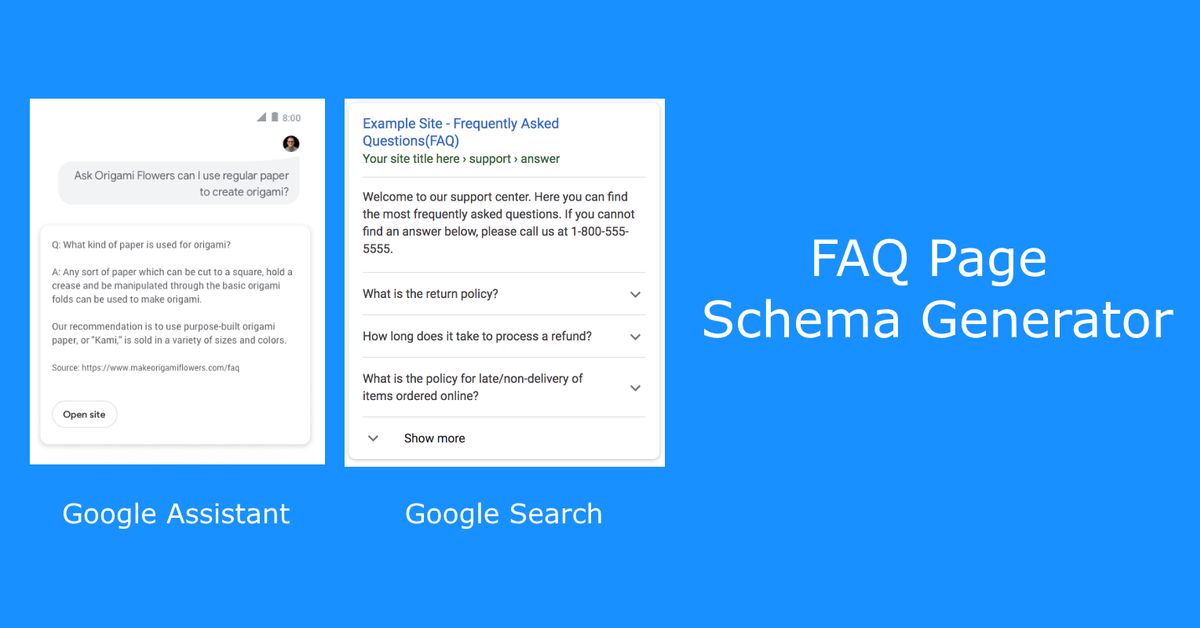
Implementing FAQPage schema with JSON-LD makes your FAQs instantly parseable for AI Overviews and rich results. Place visible FAQ content on the page first, then embed the script in the <head> or <body>—Google validates it via Search Console.
Basic JSON-LD Structure
<script type="application/ld+json">

{

"@context": "https://schema.org",

"@type": "FAQPage",

"mainEntity": [

{

"@type": "Question",

"name": "What is AI schema markup?",

"acceptedAnswer": {

"@type": "Answer",

"text": "AI schema markup structures site data for machine reading, boosting visibility in Google AI Overviews and ChatGPT by clarifying entities and answers."

}

},

{

"@type": "Question",

"name": "Does FAQ schema guarantee rich results?",

"acceptedAnswer": {

"@type": "Answer",

"text": "No guarantee, but valid FAQPage schema makes you eligible and increases AI extraction by 36% per tests."

}

}

]

}

</script>
This uses mainEntity array for multiple Q&As. Keep answers 50-200 words, natural language.
Step-by-Step Implementation
-
Write visible FAQs on your page using
<h3>for questions and<p>for answers. -
Copy the JSON-LD above, customize
name(question) andtext(answer) fields. -
Paste into HTML
<head>or before</body>. -
Validate at Google’s Rich Results Test.
-
Submit updated sitemap in Search Console.
For WordPress, add via header.php or plugins like Schema Pro. Next.js uses dangerouslySetInnerHTML with JSON.stringify.
Achi Systems Example for Nairobi
Tailored for local services:
<script type="application/ld+json">

{

"@context": "https://schema.org",

"@type": "FAQPage",

"mainEntity": [

{

"@type": "Question",

"name": "How much does AI optimization cost in Nairobi?",

"acceptedAnswer": {

"@type": "Answer",

"text": "Achi Systems starts at KSh 50,000 monthly, including schema audits and AI Overviews setup for Kenyan businesses."

}

},

{

"@type": "Question",

"name": "When will I see AI search results?",

"acceptedAnswer": {

"@type": "Answer",

"text": "Most clients rank in Google AI Overviews within 2-4 weeks after schema deployment and indexing."

}

}

]

}

</script>
Deploy this on service pages to capture queries like “AI SEO Kenya.” Achi Systems automates validation for instant compliance.
